How to Delete Duplicate Photos on iPhone for Free (Built-in + Apps)
Delete duplicate photos on iPhone using the built-in Photos app Duplicates album or third-party cleaners. Free methods include iOS merge feature and manual review options.
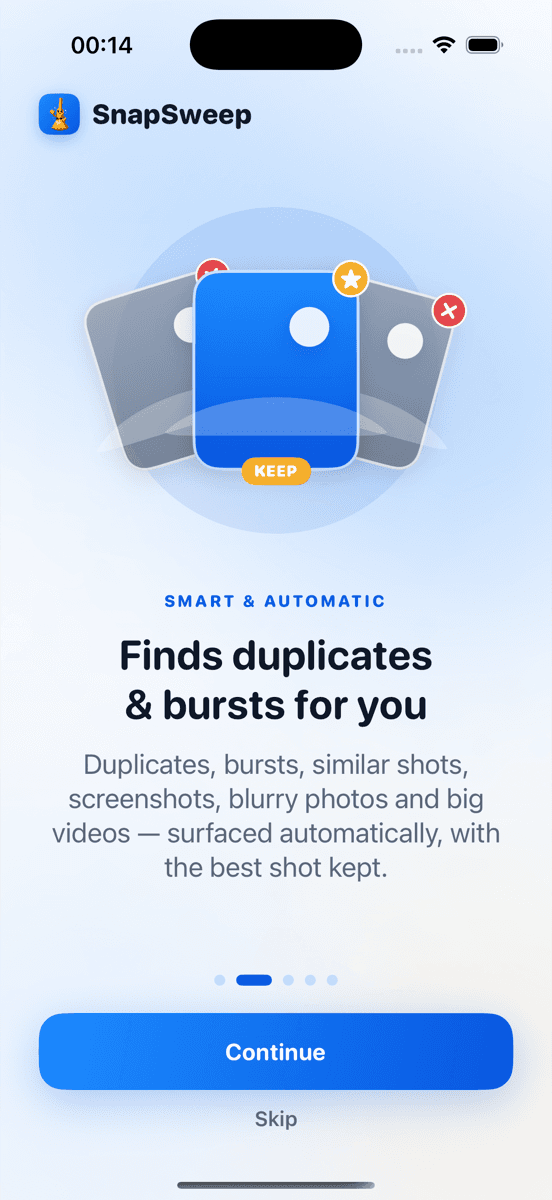
Photo by Roomier.
iPhone users can delete duplicate photos for free using the built-in Photos app Duplicates album, which automatically detects exact matches and lets you merge them with one tap. For similar shots and burst photos the built-in tool misses, third-party cleaners offer more comprehensive detection.
Does iPhone Have a Built-in Duplicate Photo Finder?
Yes. iOS 16 and later includes a Duplicates album in the Photos app that automatically identifies exact duplicate photos and videos. This free tool handles the most common duplicate scenarios without requiring any third-party apps.
To access it:
- Open Photos
- Tap Albums at the bottom
- Scroll to Utilities
- Tap Duplicates
The Duplicates album shows groups of identical photos side by side. Tap Merge to keep the highest quality version and delete the rest. Merged photos move to Recently Deleted for 30 days, giving you time to recover mistakes.
What the iOS Duplicates Album Finds (and Misses)
The built-in tool excels at finding exact duplicates — photos with identical pixels, file sizes, and metadata. This covers:
- Photos saved multiple times from messages or social media
- Screenshots taken twice by accident
- Images imported from multiple sources
- Exact copies created by photo editing apps
However, iOS Duplicates has limitations:
- Similar burst shots: Photos taken seconds apart that look nearly identical but have different timestamps
- Live Photo variations: The still photo and Live Photo version of the same moment
- Different formats: HEIC and JPEG versions of the same image
- Edited versions: A photo and its cropped or filtered variant
- Similar compositions: Photos of the same subject from slightly different angles
For many iPhone users, the built-in Duplicates album handles enough cases to make a meaningful storage difference. Check it first before considering other options.
Manual Methods for Similar Photos
Beyond exact duplicates, you can manually clean similar photos using built-in iOS features:
Review by Date
- Open Photos
- Tap Library
- Scroll to dates when you took many photos (events, trips, photo sessions)
- Look for burst sequences or similar shots
- Select the best version and delete the rest
Use Search
- In Photos, tap Search
- Type subjects like "food," "sunset," or "selfie"
- Review results for similar compositions
- Keep your favorites and delete duplicates
Check Screenshots Folder
- Go to Albums > Media Types > Screenshots
- Delete duplicate screenshots of the same content
- Remove outdated screenshots (old conversations, expired deals)
This manual approach works but takes significant time for large photo libraries.
Third-Party Duplicate Photo Cleaners
When the built-in tool isn't enough, several apps offer more sophisticated duplicate detection:
Roomier
Roomier scans your entire photo library on-device and categorizes duplicates the iOS tool misses — similar burst shots, near-identical photos, and screenshot groups. The app shows exactly how much storage each category could recover before you delete anything.
Key features:
- On-device scanning (photos never leave your phone)
- Swipe-by-swipe review before deletion
- Protects favorites and edited photos automatically
- Handles similar photos, not just exact duplicates
- Free tier includes full scan and limited deletions
Gemini Photos
Focuses on similar photo detection using machine learning. Identifies near-duplicates and groups them for easy comparison. Subscription-based with a free trial period.
Duplicate Photos Fixer Pro
Finds exact and similar duplicates with adjustable similarity settings. One-time purchase model. Good for users who prefer to buy once rather than subscribe.
Storage Impact: How Much Space Can You Recover?
The storage savings from deleting duplicates varies significantly:
- Exact duplicates: Each duplicate photo typically saves 2-5 MB, while duplicate videos can save 100+ MB each
- Similar burst shots: A burst sequence of 20 photos might contain 15-18 near-identical images worth deleting
- Screenshot cleanup: Screenshot folders often contain dozens of outdated images
For reference, a typical iPhone photo takes 2-5 MB in HEIC format or 3-8 MB as JPEG. A minute of 4K video can exceed 400 MB. Even modest duplicate cleanup often recovers 500 MB to 2 GB of storage.
Should You Use Multiple Duplicate Cleaners?
No. Running multiple duplicate detection apps creates confusion and wastes time. The iOS Duplicates album and one third-party cleaner (if needed) cover all realistic scenarios.
Start with the built-in tool. If it finds substantial duplicates, you might not need anything else. Only add a third-party cleaner if you have many similar photos the built-in tool misses.
Limitations of Duplicate Photo Cleanup
Duplicate removal has inherent limitations worth understanding:
- Storage breakdown: Photo duplicates are just one component of iPhone storage. Apps, system data, cached files, and other media often consume more space than photo duplicates
- Algorithm accuracy: No duplicate detector is perfect. Similar photo algorithms sometimes group unrelated images or miss obvious duplicates
- Cloud vs. device: Deleting photos from your iPhone doesn't automatically free iCloud storage if you use iCloud Photos. The cloud and device storage are managed separately
- Lossy decisions: Burst photo cleanup requires judgment calls about which frame is sharpest or best composed — algorithms can't read your intent
Avoiding Problematic Duplicate Cleaners
Some photo cleaner apps use predatory practices:
- Weekly subscriptions: Apps that bill $4.99 per week compound to over $250 annually for basic duplicate detection
- Auto-deletion: Cleaners that delete photos without review risk removing images you want to keep
- Cloud upload: Apps that require uploading your photo library to their servers for processing
- Fake scan results: Cleaners that exaggerate duplicate counts or storage savings to pressure purchases
Stick to apps that let you review every deletion, work on-device, and use transparent pricing models.
The iOS Duplicates album remains the safest starting point for most users. When you need more comprehensive similar photo detection, choose cleaners with good privacy practices and honest marketing.
Ready to tackle photo duplicates beyond what the built-in iOS tool finds? Roomier offers comprehensive duplicate detection with on-device privacy and swipe-by-swipe control over every deletion.
Frequently asked questions
- Does iPhone automatically delete duplicate photos?
- No, iPhone never auto-deletes photos. The iOS Duplicates album identifies exact duplicates, but you must manually tap 'Merge' to delete them. This prevents accidental loss of photos you want to keep.
- Why doesn't the iPhone Duplicates album find all my similar photos?
- The iOS Duplicates album only finds exact pixel-perfect matches. It misses similar burst shots, Live Photo variations, and near-identical images with different timestamps or slight composition differences.
- Is it safe to merge all duplicates in the iPhone Photos app?
- Generally yes. The iOS Duplicates album is conservative and only shows true exact matches. Merged photos go to Recently Deleted for 30 days, so you can recover them if needed.
- How much iPhone storage can deleting duplicates free up?
- Varies widely. Users with many screenshots or imported photos might recover 1-3 GB. Others see 100-500 MB savings. Each duplicate photo saves 2-5 MB while duplicate videos save much more.
- Do I need a paid app to delete duplicate photos on iPhone?
- Not necessarily. The free iOS Duplicates album handles exact duplicates well. Only consider paid apps if you have many similar burst shots or near-duplicates the built-in tool misses.
- Will deleting duplicates from iPhone also delete them from iCloud?
- If you use iCloud Photos, yes. Deleting photos from your iPhone removes them from iCloud too. If iCloud Photos is off, iPhone and iCloud storage are separate.