iOS Duplicates Album vs Photo Cleaner Apps: Which Finds More
iOS 16+ includes a built-in Duplicates album that merges exact matches. Third-party cleaners find similar shots, burst sequences, and blurry photos the OS misses.
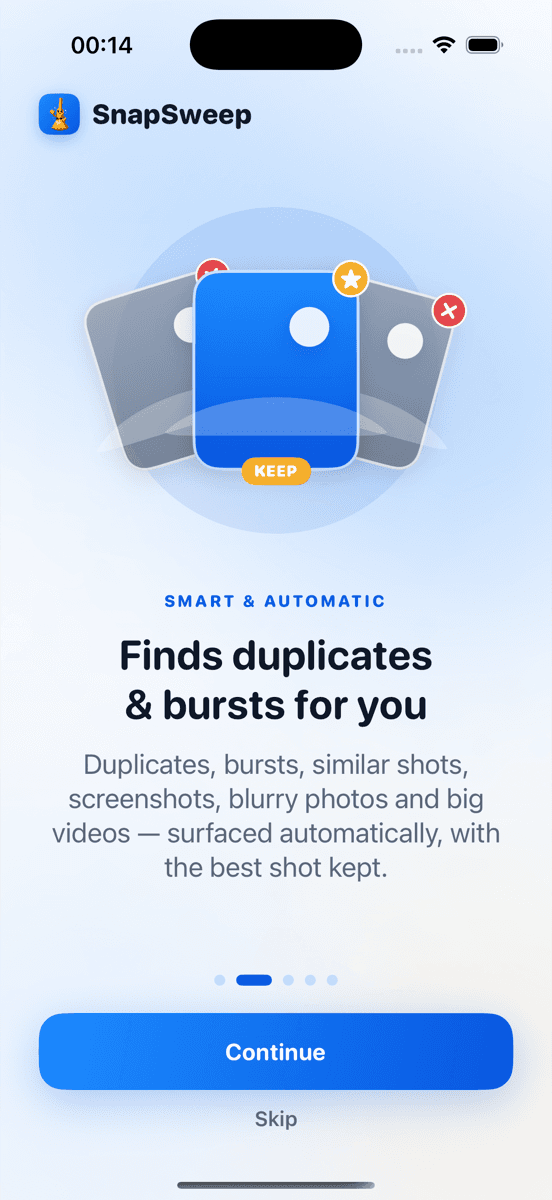
Photo by Roomier.
The iOS Duplicates album finds exact matches and merges them automatically. Third-party photo cleaners find similar shots, burst sequences, blurry photos, and oversized videos that Apple's algorithm misses — often recovering 2-5x more storage space.
What the iOS Duplicates Album Actually Does
Apple introduced the Duplicates album in iOS 16. It appears in Photos > Albums > Utilities when the system detects exact duplicate photos in your library.
The built-in feature works like this:
- Open Photos app
- Tap Albums at the bottom
- Scroll to Utilities section
- Tap Duplicates (appears only when found)
- Tap Merge to combine identical photos
The merge process keeps the highest-quality version and preserves all metadata, keywords, and album placements. Merged photos move to Recently Deleted for 30 days as backup.
What iOS considers duplicates: Identical files with matching pixel data, dimensions, and timestamps. This catches photos imported multiple times or synced from different sources.
What it misses: Similar shots from burst mode, near-identical screenshots, photos with minor edits, and compressed versions of the same image.
Where Third-Party Cleaners Go Further
The iOS Duplicates album handles one specific case well. Photo cleaning apps expand the definition of "duplicate" to include visual similarity, not just identical files.
Similar Photos and Burst Sequences
Burst mode creates 10-50 nearly identical shots in seconds. iOS treats each as unique since timestamps and minor details differ. A typical burst sequence uses 20-100 MB of storage for photos that are 95% identical.
Third-party cleaners group these visually similar photos and let you pick the best frame. This category often represents 30-60% of recoverable space in active photo libraries.
Screenshot Accumulation
Screenshots of the same app interface, repeated memes, or multiple captures of the same content create visual duplicates without identical file signatures. iOS can't detect these as duplicates since the metadata differs.
Blurry and Low-Quality Photos
Motion blur, focus issues, and poor lighting create photos that consume storage without adding value. The iOS Duplicates album doesn't evaluate image quality — only exact matches.
Large Video Files
A minute of 4K video at 60fps can exceed 400 MB, while a typical photo uses 2-5 MB. Video compression can reduce file sizes by 50-70% while maintaining visual quality for most viewing scenarios.
How the Detection Algorithms Compare
iOS Duplicates Algorithm
- Method: File hash comparison and metadata matching
- Accuracy: 100% for true duplicates, 0% for similar content
- Speed: Instant detection, runs automatically
- Safety: Merges preserve all data and album organization
Third-Party Visual Similarity
- Method: Computer vision and perceptual hashing
- Accuracy: 85-95% for grouping similar photos correctly
- Speed: Full library scan takes 2-10 minutes depending on library size
- Safety: Review-before-delete workflow prevents mistakes
The trade-off is precision versus coverage. iOS finds fewer items but with perfect accuracy. Third-party apps find more potential savings but require human review.
When Built-In Tools Are Enough
Use only the iOS Duplicates album if:
- You rarely use burst mode or take multiple shots of the same subject
- Your photo library is well-organized and you delete unwanted photos regularly
- You only sync photos from one source (no multiple imports)
- Storage pressure isn't critical
The built-in approach works well for users who maintain their libraries actively and don't accumulate visual clutter.
When Third-Party Apps Add Value
Consider a photo cleaner if:
- You use burst mode frequently for action shots or portraits
- You have years of accumulated photos without regular cleanup
- You take multiple similar shots to get the perfect frame
- You screenshot frequently for work or social media
- You shoot lots of video and need compression options
- You've already used iOS Duplicates but still need more storage
The additional categories these apps detect can recover significant space that the built-in tools miss entirely.
Privacy and Safety Considerations
iOS Duplicates Album
- Data location: All processing on-device
- Account requirement: None beyond iCloud Photos if enabled
- Deletion safety: 30-day Recently Deleted recovery period
- Protected items: Favorited photos are never suggested for merging
Third-Party Photo Cleaners
Privacy varies significantly by app. Key questions to ask:
- Does scanning happen on-device or in the cloud?
- Is an account required to use basic features?
- Are photos uploaded to company servers for processing?
- What data is collected about your photo library?
Apps like Roomier process everything locally without accounts or uploads. Others may send thumbnails or metadata to cloud services for analysis.
Limitations Both Approaches Share
Photo cleanup addresses library organization and visual duplicates, but can't solve all storage issues:
System and app data: iOS system files, app caches, and downloaded content often consume more space than photos. Check Settings > General > iPhone Storage for the full breakdown.
iCloud vs local storage: Cleaning your device doesn't affect iCloud storage limits. These are separate problems requiring different solutions.
Compression trade-offs: Video compression reduces file sizes but uses lossy encoding. The original quality can't be recovered after compression.
Algorithm limitations: No automated system picks the perfect frame from every burst sequence. Human review catches nuances that algorithms miss.
Cloud sync timing: Changes to your photo library may take hours to sync across devices and services.
Choosing Your Approach
Start with the iOS Duplicates album since it's free, safe, and handles true duplicates perfectly. Check Photos > Albums > Utilities and merge any duplicates found.
If you need more storage recovery, evaluate third-party options based on your privacy requirements and the types of photo clutter in your library. Apps that work entirely on-device provide the best privacy, while cloud-based services may offer more sophisticated detection.
The most effective approach combines both: use iOS Duplicates for exact matches, then supplement with a third-party cleaner for similar photos, burst sequences, and video compression when needed.
Frequently asked questions
- Does the iOS Duplicates album work automatically?
- The iOS Duplicates album appears automatically when exact duplicates are detected, but merging requires manual action. You must tap Merge to combine duplicate photos — nothing happens without your confirmation.
- Why doesn't iOS find my similar burst photos?
- iOS only detects identical files with matching pixel data and metadata. Burst photos have different timestamps and minor variations, so they appear as unique photos to the system despite looking nearly identical.
- Can I recover photos after using iOS Duplicates merge?
- Yes, merged duplicates move to Recently Deleted where they remain for 30 days. You can restore them from Recently Deleted > Select > Recover if needed during this period.
- Do photo cleaner apps delete photos automatically?
- Reputable photo cleaners show you grouped photos and require confirmation before deletion. Avoid apps that auto-delete without review — they often remove photos you want to keep by mistake.
- Which finds more duplicates: iOS or third-party apps?
- Third-party apps typically find 2-5x more recoverable space by detecting similar photos, burst sequences, blurry shots, and large videos that iOS Duplicates album doesn't recognize as duplicates.
- Are photo cleaner apps safe for privacy?
- Privacy varies by app. Look for cleaners that process photos on-device without uploading to servers. Apps requiring accounts or internet access for basic scanning may share your photo data.