iOS Duplicates Album vs Cleaner Apps: Which Finds More Photos
The iOS Duplicates album finds exact matches but misses similar burst shots, screenshots, and blurry photos. Third-party cleaners scan deeper but vary in safety and privacy.
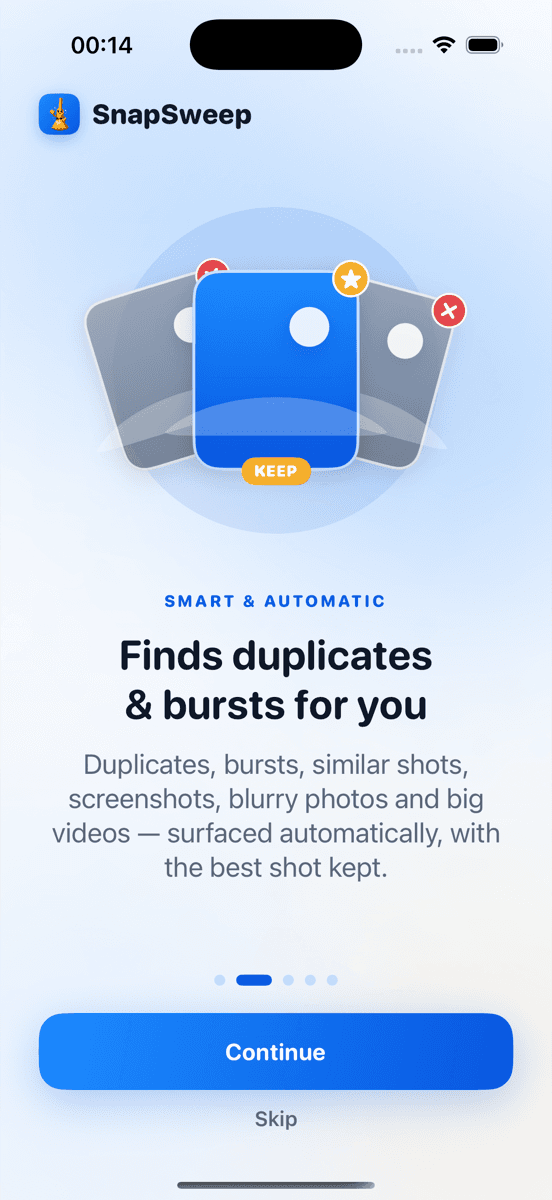
Photo by Roomier.
The iOS Duplicates album, introduced in iOS 16, automatically finds exact duplicate photos and lets you merge them with a tap. For true duplicates, it works well and costs nothing. But it misses similar burst shots, duplicate screenshots, and near-identical photos that third-party cleaners catch.
What the iOS Duplicates Album Actually Finds
The built-in Duplicates album appears in Photos > Albums > Utilities when iOS detects exact matches. These are typically:
- Photos taken in rapid succession with identical composition
- Screenshots saved multiple times
- Images imported from the same source repeatedly
- Photos synced from multiple devices
To use it, open Photos, tap Albums, scroll to Utilities, and select Duplicates. Tap a group, review the suggested merge, and tap "Merge" to keep the highest quality version. The duplicates move to Recently Deleted for 30 days.
This process is safe and free. For many users with basic duplicate issues, the built-in album is sufficient.
Where iOS Duplicates Falls Short
The iOS algorithm uses strict matching criteria. It misses:
- Similar burst photos: Five nearly identical shots of your dog where only one is sharp
- Duplicate screenshots: Screenshots of the same content taken at different times
- Near-duplicates: Photos of the same scene with slight timing or angle differences
- Blurry variants: When you took multiple shots and kept both the sharp and blurry versions
- Edited copies: Original photo plus filtered versions
A photo library with 3,000 images might show 20 duplicates in the iOS album but contain 200+ similar shots that eat storage unnecessarily.
How Third-Party Cleaners Work Differently
Apps like Roomier, Gemini Photos, and Duplicate Photos Fixer use computer vision to detect visual similarity, not just file matching. They scan for:
- Facial recognition in burst shots
- Scene composition analysis
- Blur and focus detection
- Screenshot content matching
- File size and compression differences
The trade-off is complexity. Instead of iOS's simple "merge" button, these apps show you groups of similar photos and let you choose which to keep.
Safety Considerations for Cleaner Apps
Not all photo cleaners are created equal. Key safety features to look for:
- Manual review required: Never auto-delete without showing you each photo
- Favorites protection: Skip photos you've marked as favorites
- Edited photo protection: Preserve photos with applied filters or edits
- Recently Deleted integration: Use the OS deletion process, not permanent removal
Avoid apps that:
- Upload your photos to their servers for processing
- Auto-delete based on algorithms alone
- Require weekly subscriptions that compound to $200+ annually
- Show excessive ads during the cleanup process
Privacy: On-Device vs Cloud Processing
The iOS Duplicates album processes everything on your iPhone. Your photos never leave the device.
Some third-party cleaners also work entirely on-device, while others upload your library to their servers for faster processing. Check the privacy policy before scanning thousands of personal photos.
On-device processing is slower but keeps your photos private. Cloud processing is faster but requires trusting the company with your photo library.
When to Use Each Option
Use the iOS Duplicates album when:
- You have obvious duplicate photos from importing or syncing
- Storage isn't critically low
- You want a quick, free solution
- Privacy is your top concern
Consider a third-party cleaner when:
- You take lots of burst photos or screenshots
- Your photo library has grown to thousands of images
- You want to find similar shots, not just exact duplicates
- You need to compress large videos alongside photo cleanup
- The iOS album shows few results but your storage is still full
Limitations of Any Photo Cleanup Approach
Photo cleanup has inherent limitations regardless of the method:
- Apps and system data: Photo deletion doesn't recover space used by apps, iOS system files, or cached data
- Algorithm limitations: No system perfectly identifies which burst photo is sharpest or which angle is better
- Compression trade-offs: Video compression reduces file size but also reduces quality
- Cloud vs local storage: Cleaning your iPhone doesn't affect iCloud Photo Library storage quotas
- Subjective decisions: The "best" photo in a series depends on personal preference, not algorithms
Cost Comparison: Built-in vs Paid Apps
The iOS Duplicates album is completely free with no limitations.
Third-party cleaners typically offer:
- Free tiers with limited deletions (often 5-20 photos)
- Monthly subscriptions ($2-8 per month)
- Annual plans ($15-50 per year)
- Lifetime purchases ($20-80 one-time)
For occasional use, the free tier of most apps handles small cleanup jobs. For regular maintenance of large libraries, annual or lifetime options provide better value than monthly billing.
Making the Right Choice
Start with the iOS Duplicates album. It's free, safe, and handles true duplicates effectively. Open Photos > Albums > Utilities > Duplicates and see what it finds.
If the results are minimal but your storage remains full, consider a third-party cleaner for deeper scanning. Look for apps that work on-device, require manual review, and offer transparent pricing.
The goal isn't perfect algorithmic photo curation. It's recovering meaningful storage space while keeping the photos you actually want. Sometimes that requires human judgment, not just automated detection.
For users with extensive photo libraries who regularly shoot bursts or take screenshots, apps like Roomier provide the deeper scanning that iOS's built-in tools miss. The key is choosing tools that prioritize safety and put you in control of every deletion decision.
Frequently asked questions
- Does the iOS Duplicates album work on all iPhone models?
- The Duplicates album requires iOS 16 or later, which runs on iPhone 8 and newer models. Older iPhones need third-party apps for duplicate detection.
- Can I recover photos deleted through the iOS Duplicates album?
- Yes, merged duplicates move to Recently Deleted where they stay for 30 days. You can restore them anytime during this period.
- Why doesn't the iOS Duplicates album find my similar burst photos?
- iOS only detects exact file matches, not visual similarity. Burst photos with slight timing differences appear as separate images to the system.
- Are third-party photo cleaners safe to use?
- Apps that work on-device and require manual review are generally safe. Avoid apps that auto-delete photos or upload your library to external servers.
- Do photo cleaner apps work with iCloud Photo Library?
- Yes, but cleaning photos on your iPhone doesn't reduce iCloud storage usage. You need to manage iCloud storage separately through Settings.
- How much storage can I recover by deleting duplicate photos?
- Results vary widely. Libraries with many burst photos or screenshots might recover several GB, while others might find only a few MB worth of true duplicates.