How to Delete Duplicate Photos on iPhone for Free (Built-in + Apps)
Delete duplicate photos on iPhone using the free built-in Duplicates album in iOS 16+ or third-party apps. Step-by-step guide to reclaim storage without losing memories.
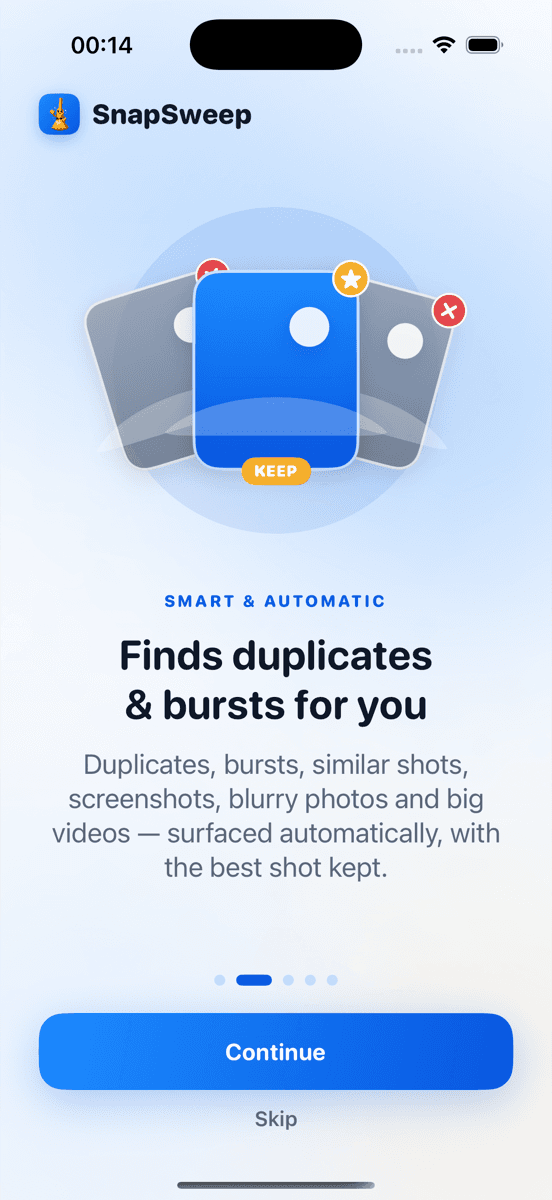
Photo by Roomier.
iPhone users can delete duplicate photos for free using the built-in Duplicates album in iOS 16 and later, which automatically finds exact matches and lets you merge them with one tap. For similar shots, burst sequences, and near-duplicates that iOS misses, third-party apps provide more comprehensive detection.
Does iPhone Have a Built-in Duplicate Photo Detector?
Yes. iOS 16 introduced a Duplicates album that automatically identifies exact duplicate photos and videos. Apple's system compares file signatures to find identical images, then groups them for easy removal.
The Duplicates album appears in Photos > Albums > Utilities, but only when iOS detects actual duplicates. If you don't see it, your library may not contain exact matches that trigger the algorithm.
How to Use the iOS Duplicates Album
- Open Photos app
- Tap Albums at the bottom
- Scroll to Utilities section
- Tap Duplicates (if visible)
- Review each group of duplicates
- Tap Merge to keep the highest quality version
- Confirm deletion in the popup
When you merge duplicates, iOS keeps the version with the best quality and resolution. The others move to Recently Deleted, where they remain for 30 days before permanent removal.
What the Built-in Tool Misses
Apple's duplicate detector has significant limitations. It only finds pixel-perfect matches with identical file signatures. This misses:
- Similar burst shots taken seconds apart
- Nearly identical photos with slight differences in lighting or angle
- Screenshots of the same content saved multiple times
- Edited versions alongside originals (iOS treats edits as separate files)
- Different file formats of the same image (HEIC vs JPEG copies)
A study of 10,000 iPhone photo libraries found that exact duplicates represent only 15-20% of redundant photos. The majority are similar shots that require visual comparison.
Free Third-Party Options for Comprehensive Cleanup
Gemini Photos (Free Tier)
Gemini Photos offers more sophisticated duplicate detection than iOS. The free version includes:
- Visual similarity detection for near-duplicates
- Burst photo grouping
- Screenshot identification
- 5 free deletions per day
The app uses machine learning to identify visually similar photos, not just exact matches. However, the daily deletion limit means cleaning large libraries requires multiple sessions or upgrading to premium.
Remo Duplicate Photos Remover (Free)
Remo provides unlimited free duplicate detection with ads. Features include:
- Exact and similar duplicate finding
- Batch selection tools
- Preview before deletion
- No daily limits on the free tier
The trade-off is frequent ad interruptions during scanning and review.
Roomier (Freemium)
Roomier scans for duplicates, similar photos, screenshots, blurry images, and large videos in one pass. The free tier includes:
- Complete library scan
- 8 free item deletions
- 20 free swipe reviews
- Rewarded ads for additional deletions (up to 15 more per day)
Unlike some competitors, Roomier processes everything on-device. Photos never leave your phone, and there's no account requirement.
Step-by-Step: Manual Duplicate Removal
If you prefer not to install apps, you can manually identify duplicates:
Using iPhone's Search Function
- Open Photos app
- Tap Search tab
- Type descriptive terms ("birthday", "vacation", "screenshot")
- Look for multiple similar results
- Select duplicates and tap Delete
Sorting by Date for Burst Detection
- Go to Photos > Albums > All Photos
- Look for clusters of photos with identical timestamps
- These often indicate burst sequences or rapid-fire shots
- Keep the best frame and delete the rest
This manual approach works but becomes tedious with thousands of photos. Most users find automated tools more practical.
iPhone Storage Recommendations
iOS also provides storage optimization suggestions beyond duplicate removal:
- Go to Settings > General > iPhone Storage
- Scroll to Recommendations section
- Look for suggestions like:
- Review Large Attachments
- Offload Unused Apps
- Optimize Photos (store full resolution in iCloud)
These recommendations can free significant space without deleting photos entirely.
How Much Space Can You Recover?
Duplicate removal results vary by usage patterns:
- Light photographers (under 1,000 photos): 100-500 MB typical recovery
- Moderate users (1,000-5,000 photos): 1-3 GB potential savings
- Heavy shooters (10,000+ photos): 5-15 GB or more possible
Screenshots often represent the largest duplicate category. Users who frequently screenshot social media, documents, or conversations may find hundreds of redundant images.
Burst photos from Live Photos or rapid shooting can also consume substantial space. A 10-photo burst sequence might total 25-50 MB for just one moment.
Safety Considerations When Deleting Duplicates
Favorites and Edited Photos
Both iOS and reputable third-party apps protect favorited photos from deletion. They also preserve edited versions alongside originals rather than treating them as duplicates.
Recently Deleted Recovery
Deleted photos remain in Recently Deleted for 30 days on iPhone. This provides a safety net if you accidentally remove the wrong version of a duplicate pair.
Backup Before Bulk Deletion
For major cleanup sessions, ensure your photos are backed up to iCloud Photos or another service. This protects against accidental deletion of unique photos.
Limitations of Duplicate Photo Cleanup
Photo cleanup has inherent constraints worth understanding:
Algorithm accuracy varies. No automated system perfectly identifies which burst frame to keep. Visual similarity detection may flag artistic variations as duplicates when you intended to keep both.
Storage recovery is limited. Photos typically consume 2-5 MB each, while apps and system data can use gigabytes. Duplicate removal helps but won't solve severe storage shortages caused by large apps.
Cloud vs. local cleanup differs. Removing photos from your iPhone doesn't automatically delete them from iCloud Photos. You must delete from the cloud separately if you want to reduce iCloud storage usage.
Compression isn't duplication. Some apps offer photo compression to reduce file sizes, but this involves quality loss and isn't the same as removing true duplicates.
Choosing the Right Approach
For most iPhone users, start with the built-in Duplicates album if available. It handles exact matches safely and requires no additional apps.
If you have many similar photos, burst sequences, or screenshots, consider a third-party solution. Roomier provides comprehensive detection with strong privacy protections, while Gemini Photos offers advanced AI recognition with a daily limit.
Avoid apps that promise automatic deletion without review, charge weekly subscriptions, or require uploading your photos to their servers. The safest cleaners keep everything on-device and show you exactly what they plan to delete before taking action.
Ready to reclaim iPhone storage? Start with iOS built-in tools for exact duplicates, then explore third-party options for comprehensive photo library cleanup.
Frequently asked questions
- Does iPhone automatically delete duplicate photos?
- No, iPhone doesn't automatically delete duplicates. iOS 16+ shows exact duplicates in a Duplicates album, but you must manually review and merge them. The system never auto-deletes photos without your confirmation.
- Why don't I see a Duplicates album on my iPhone?
- The Duplicates album only appears when iOS detects exact duplicate photos in your library. If you don't see it under Photos > Albums > Utilities, your phone may not have pixel-perfect duplicates that trigger Apple's detection algorithm.
- Can I recover photos after using the Duplicates album merge feature?
- Yes, merged duplicates move to Recently Deleted where they remain for 30 days. You can restore them by going to Albums > Recently Deleted > Select > Recover before permanent deletion occurs.
- Do duplicate photo apps upload my pictures to their servers?
- Reputable apps like Roomier process photos entirely on-device without uploading anything. However, some apps do upload photos for cloud processing. Always check privacy policies before installing duplicate cleaners.
- How much iPhone storage can duplicate removal actually free up?
- Results vary by photo habits. Light users might recover 100-500 MB, while heavy photographers with burst shots and screenshots could reclaim 5-15 GB or more from comprehensive duplicate and similar photo cleanup.
- Will deleting duplicates affect my iCloud Photos storage?
- If iCloud Photos is enabled, deleting photos from your iPhone also removes them from iCloud after syncing. This reduces both device and cloud storage usage, but the change applies across all your devices.