iOS Duplicates Album vs Photo Cleaner Apps: When Built-In Is Enough
iOS 16+ includes a Duplicates album that merges exact copies automatically. Third-party cleaners find similar shots, burst sequences, and blurry photos the built-in tool misses.
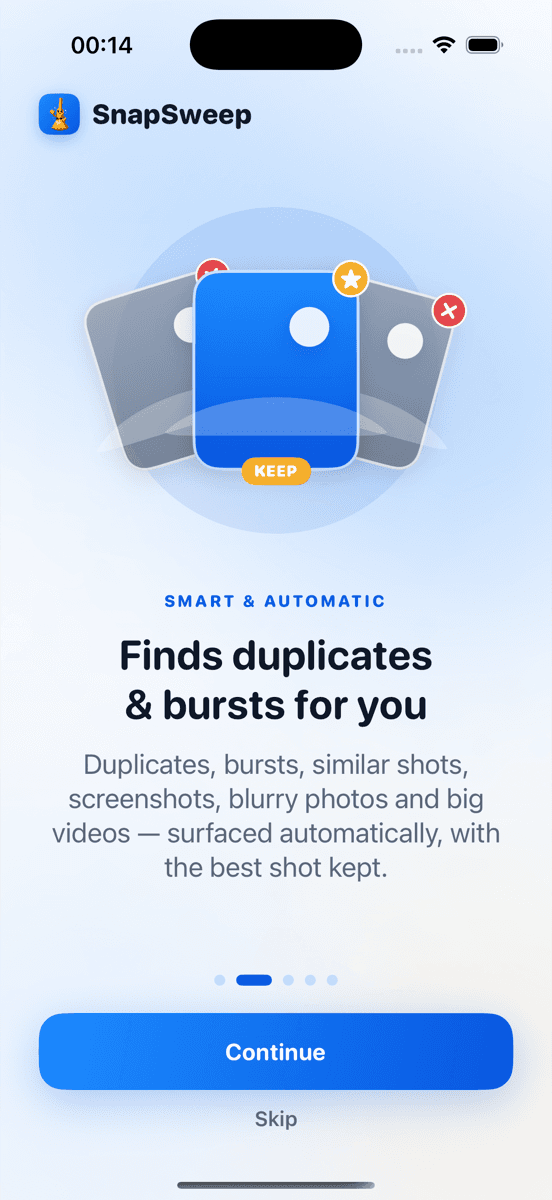
Photo by Roomier.
iOS 16 introduced a built-in Duplicates album in the Photos app that automatically finds and merges exact duplicate photos. For many iPhone users, this free feature handles the most common storage problem without needing a third-party app.
The iOS Duplicates album works by comparing file hashes to identify pixel-perfect matches. When you tap "Merge" on a duplicate group, iOS keeps the highest-quality version and moves the rest to Recently Deleted. This process is automatic, safe, and requires no additional apps.
How to Use the iOS Duplicates Album
The Duplicates album appears in Photos when iOS detects exact matches in your library.
To access and use it:
- Open Photos app
- Tap Albums at the bottom
- Scroll to Utilities section
- Tap Duplicates
- Review each group and tap Merge to combine duplicates
- Deleted copies move to Recently Deleted for 30 days
iOS protects edited photos and favorites during merging. The system keeps the version with the highest resolution or newest timestamp when quality is identical.
What the Built-In Duplicates Album Finds
The iOS Duplicates album excels at identifying:
- Exact pixel matches: Photos saved multiple times from messages or downloads
- Import duplicates: Same image copied during device transfers or cloud syncing
- Screenshot copies: Identical screenshots saved to different albums
- Shared photo duplicates: Same image received through multiple channels
The detection algorithm compares file signatures rather than visual similarity. This approach ensures accuracy but limits scope to perfect matches.
What iOS Duplicates Album Misses
Apple's built-in feature has specific limitations that third-party cleaners address:
Similar but not identical photos don't trigger detection. Burst sequences where you kept multiple similar shots, photos taken seconds apart of the same subject, or slightly different crops of the same image won't appear in the Duplicates album.
Compressed versions of the same photo often have different file signatures. A photo shared through messaging apps gets compressed, creating a visually similar but technically different file that iOS won't flag as a duplicate.
Live Photo variations can create confusion. The still photo and Live Photo of the same moment are treated as separate items, even when they're functionally duplicates for storage purposes.
Quality-based filtering isn't available. iOS merges duplicates but doesn't identify which photos in your library are blurry, poorly lit, or otherwise lower quality versions of better shots.
When Third-Party Photo Cleaners Add Value
Photo cleaning apps like Roomier, Gemini Photos, or Duplicate Photos Fixer use visual analysis algorithms that go beyond exact file matching.
These apps typically identify:
- Burst sequence cleanup: Multiple photos from rapid-fire shooting where you only need one
- Similar shots: Photos taken seconds apart that are nearly identical
- Quality comparison: Blurry photos when sharper versions exist
- Screenshot organization: Duplicate screenshots with minor differences
- Large video identification: Oversized video files that consume disproportionate storage
The trade-off is accuracy. Visual similarity algorithms sometimes group photos that look similar but represent different moments you want to keep. This is why manual review before deletion is essential.
Comparing Detection Methods
| Feature | iOS Duplicates Album | Third-Party Cleaners |
|---|---|---|
| Exact duplicates | Perfect accuracy | High accuracy |
| Similar photos | Not detected | Detected with review |
| Burst sequences | Only identical frames | Groups similar shots |
| File size impact | Minimal | Significant potential |
| Manual review | Optional merge | Required for safety |
| Cost | Free | Free tier or subscription |
Storage Impact Differences
The iOS Duplicates album typically recovers modest amounts of storage because exact duplicates are less common than similar photos. A library with 10,000 photos might contain 50-100 true duplicates worth 200-500 MB of space.
Third-party cleaners can identify significantly more recoverable space by finding similar shots and burst sequences. The same library might contain 500-1,000 similar or unnecessary photos worth 2-5 GB of space.
Video files create the largest storage opportunities. A single minute of 4K video at 60fps can exceed 400 MB, while a typical photo uses 2-5 MB. Cleaning apps that compress or identify oversized videos often recover more space than duplicate photo detection.
Privacy and Safety Considerations
The iOS Duplicates album processes everything on-device. Your photos never leave your iPhone, and Apple doesn't access your photo library for duplicate detection.
Third-party apps vary in their privacy approaches. Apps like Roomier perform all analysis on-device without uploading photos. Others may process images on remote servers or require account creation.
Key privacy questions to verify:
- Does the app require internet connectivity for scanning?
- Are photos uploaded for processing or analysis?
- Does the app request account creation or personal information?
- What data does the privacy policy specify is collected?
Cost Comparison Reality
The iOS Duplicates album is completely free with no limitations or subscription requirements.
Third-party cleaners use various pricing models:
- Free tiers: Limited deletions per day or scan frequency
- One-time purchases: Lifetime access for a single payment
- Monthly subscriptions: Recurring charges that can exceed $100 annually
- Weekly subscriptions: Often expensive when calculated yearly
Avoid apps with weekly billing that compound to $200+ per year for basic photo cleanup functionality.
Limitations of All Photo Cleanup Methods
No photo cleanup approach, built-in or third-party, addresses every storage issue on your iPhone.
App data and system files consume significant storage that photo cleanup can't recover. Games, social media apps, and cached data often use more space than your entire photo library.
iCloud Photo Library creates additional complexity. Deleting photos from your device may not free local storage if optimization is enabled, and deleted photos sync across all devices.
Compression trade-offs affect quality. Video compression reduces file sizes but permanently degrades quality. The process is irreversible once applied.
Algorithm limitations mean no automated system picks the perfect photo from every burst sequence or similar group. Manual review remains essential for preserving important moments.
Making the Right Choice
Start with the free iOS Duplicates album. Open Photos > Albums > Utilities > Duplicates and merge any groups you find. This handles exact duplicates without additional apps.
If you regularly take burst photos, have many similar shots, or notice significant storage pressure, consider a third-party cleaner. Look for apps that:
- Process photos on-device for privacy
- Require manual review before deletion
- Offer transparent, reasonable pricing
- Focus on photo cleanup rather than general "phone optimization"
The built-in iOS feature handles exact duplicates effectively. Third-party apps add value when you need deeper analysis of similar photos, burst sequences, or video compression. Neither approach replaces good photo management habits, but both can reclaim meaningful storage space when used appropriately.
For users with extensive photo libraries who regularly shoot in burst mode or capture similar shots, apps like Roomier provide on-device scanning that identifies the similar photos and burst sequences the iOS Duplicates album misses, with swipe-based review to ensure you keep the photos that matter.
Frequently asked questions
- Does the iOS Duplicates album work on all iPhone models?
- The Duplicates album requires iOS 16 or later. It works on iPhone 8 and newer models that support iOS 16, including iPhone SE (2nd generation and later).
- Why doesn't iOS find my similar burst photos as duplicates?
- iOS only detects exact pixel matches, not visual similarity. Burst photos have different timestamps and slight variations, so they appear as separate photos rather than duplicates to the system.
- Can I recover photos after using the iOS merge feature?
- Yes, merged duplicates move to Recently Deleted where they remain for 30 days. You can restore them from Recently Deleted > Select > Recover if needed.
- Do third-party photo cleaners delete photos automatically?
- Reputable cleaners like Roomier require manual review before deletion. Avoid apps that auto-delete without showing you what will be removed first.
- How much storage can I expect to recover from duplicates?
- iOS Duplicates typically recovers 200-500 MB from exact matches. Third-party cleaners finding similar photos and videos can recover 2-5 GB or more from larger libraries.
- Are weekly subscription photo cleaners worth the cost?
- Weekly subscriptions often cost $200+ annually for basic cleanup features. One-time purchases or apps with reasonable monthly pricing provide better value for most users.