iOS Duplicates Album vs Cleaner Apps: When Built-In Tools Are Enough
iOS 16+ includes a Duplicates album that merges exact photo matches for free. Third-party cleaners find similar shots, burst sequences, and blurry photos the built-in tool misses.
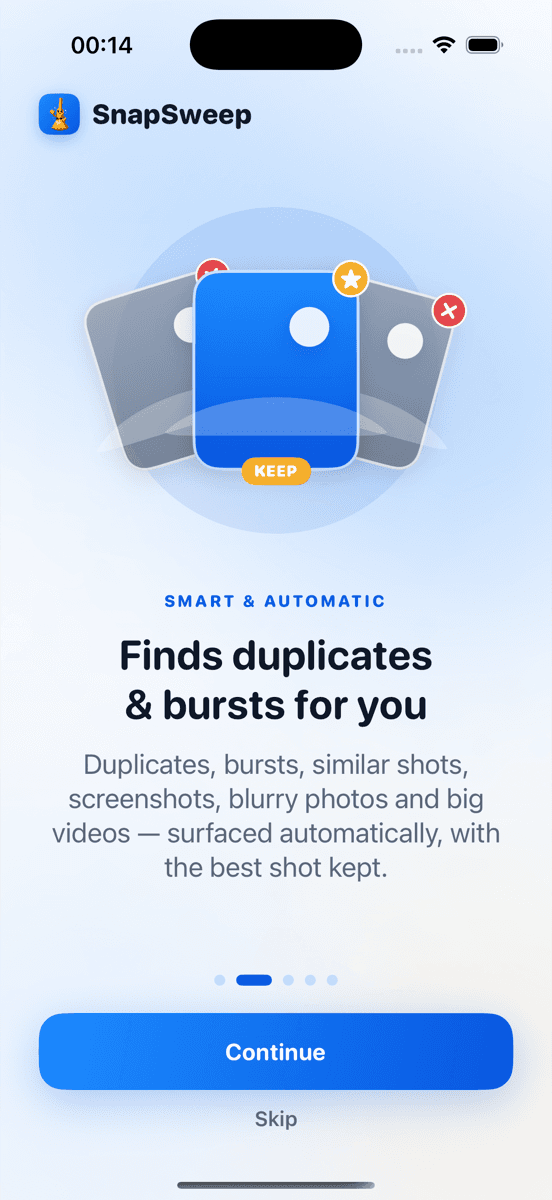
Photo by Roomier.
iOS 16 introduced a Duplicates album in the Photos app that automatically finds and merges exact photo matches. For many iPhone users, this free built-in tool handles duplicate cleanup without installing anything extra. But the Duplicates album has specific limitations that third-party cleaners address.
What the iOS Duplicates Album Does Well
The Duplicates album appears in Photos > Albums > Utilities when iOS detects identical photos in your library. It groups exact matches — typically the same photo saved multiple times from messaging apps, downloads, or sync issues.
To use it:
- Open Photos
- Tap Albums at the bottom
- Scroll to Utilities section
- Tap Duplicates
- Review each group and tap Merge to keep the highest quality version
The merge process is permanent but safe. iOS keeps the version with the best quality and resolution, then moves duplicates to Recently Deleted where they remain for 30 days before permanent removal.
Key strengths of the built-in approach:
- Completely free with no app downloads
- Automatically scans your library in the background
- Preserves the highest quality version when merging
- Integrates seamlessly with iCloud Photos sync
- No privacy concerns since everything stays within Apple's ecosystem
Where the Duplicates Album Falls Short
The iOS Duplicates album only catches identical files — photos with matching pixels, file sizes, and metadata. It misses several common types of photo clutter:
Similar burst shots: When you take 5-10 rapid photos of the same subject, iOS treats each as unique even when they're nearly identical. The Duplicates album won't group a sequence of similar sunset photos or multiple shots of your dog.
Near-duplicate screenshots: Screenshots of the same app screen taken seconds apart often have slight differences in time stamps or notification badges. These bypass the exact-match algorithm.
Edited versions: If you edit a photo and save it as a new file, both the original and edited versions remain. The Duplicates album doesn't recognize the relationship.
Cross-format matches: A photo saved as both HEIC and JPEG won't be detected as a duplicate due to different file formats.
Quality variations: The same image downloaded at different resolutions or compression levels appears as separate photos.
When Third-Party Cleaners Add Value
Photo cleaning apps use visual similarity algorithms rather than exact file matching. They can identify photos that look nearly identical to human eyes even when the files differ technically.
Apps like Roomier, Gemini Photos, and Duplicate Photos Fixer analyze image content, composition, and visual elements. This broader approach catches:
- Burst photo sequences where you want to keep just one frame
- Screenshots with minor interface differences
- Photos taken seconds apart with slight camera movement
- Same subject photographed from slightly different angles
- Variations in lighting or exposure of the same scene
The trade-off is manual review. Unlike the Duplicates album's automatic merging, third-party apps typically show you groups of similar photos and let you choose which to keep or delete.
Roomier's Approach to Photo Cleanup
Roomier scans your photo library on-device and categorizes findings into exact duplicates, similar photos, burst sequences, screenshots, blurry images, and large videos. Nothing uploads to external servers.
The app presents results in swipe-friendly groups. You review each cluster and swipe right to keep photos or left to queue them for deletion. Final deletion happens through iOS's standard confirmation dialog, sending removed photos to Recently Deleted for 30-day recovery.
This manual review prevents accidental deletion of important photos while catching the visual duplicates that iOS's built-in tool misses.
Comparing Your Options
| Feature | iOS Duplicates Album | Third-Party Cleaners |
|---|---|---|
| Cost | Free | Free tier + premium options |
| Exact duplicates | Yes | Yes |
| Similar photos | No | Yes |
| Burst sequences | No | Yes |
| Manual review | Optional (auto-merge) | Required |
| Privacy | Built-in to iOS | Varies by app |
| Storage categories | Duplicates only | Multiple categories |
Other iPhone Storage Tools Worth Knowing
Beyond duplicate cleanup, iPhone offers additional storage management through Settings > General > iPhone Storage. This section recommends:
- Offloading unused apps while keeping their data
- Reviewing large attachments in Messages
- Enabling Optimize iPhone Storage for Photos (keeps thumbnails locally, full resolution in iCloud)
- Auto-deleting old conversations and downloads
The Files app also includes a Browse > Recents view showing recently downloaded files that might be consuming space unnecessarily.
Limitations of Photo Cleanup Apps
Photo cleanup — whether built-in or third-party — addresses only part of iPhone storage usage. Apps, system data, cached content, and offline maps often consume more space than photo libraries.
Visual similarity algorithms aren't perfect. An app might group photos you want to keep separate, or miss duplicates that seem obvious. Manual review helps but adds time to the cleanup process.
Compression features in some apps reduce file sizes but involve quality loss. HEVC re-encoding can significantly shrink video files while maintaining visual quality, but older devices or software may have compatibility issues.
On-device photo cleanup and cloud storage management are separate problems. Cleaning your iPhone's photo library doesn't affect iCloud Photos storage limits or Google Photos quotas.
Making the Right Choice for Your Situation
Start with the iOS Duplicates album if you primarily need exact duplicate removal. It's free, automatic, and handles the most common duplicate scenarios without additional apps.
Consider a third-party cleaner when:
- You take lots of burst photos and want help choosing the best frames
- Your photo library contains many screenshots with minor variations
- You frequently save similar photos from social media or messaging apps
- You want broader cleanup categories beyond exact duplicates
- You prefer manual review before any deletion
Avoid apps that auto-delete without review, charge weekly subscriptions that compound to hundreds annually, or require uploading your photo library to external servers for processing.
The iOS Duplicates album provides solid baseline duplicate cleanup for most users. Third-party apps extend that capability to visual similarities and additional cleanup categories, with the trade-off of manual review time and potential subscription costs.
Frequently asked questions
- Does the iOS Duplicates album work with iCloud Photos?
- Yes, the Duplicates album scans your entire iCloud Photos library, including photos stored in the cloud. Merging duplicates updates across all your devices signed into the same Apple ID.
- Can I recover photos after using the Duplicates album merge feature?
- Merged duplicates go to Recently Deleted where they stay for 30 days. You can restore them during this period, but the merge action itself cannot be undone.
- Why doesn't the Duplicates album find my burst photos?
- The iOS Duplicates album only detects identical files with matching pixels and metadata. Burst photos are technically unique files even when visually similar, so they don't trigger the exact-match algorithm.
- Do third-party photo cleaners upload my photos to their servers?
- Some do, others process everything on-device. Check the app's privacy policy. Apps like Roomier scan locally without uploading photos, while cloud-based services may transfer images for processing.
- How much storage can I expect to recover from duplicate cleanup?
- Results vary widely based on your photo habits. Users with many screenshots or burst sequences might recover several gigabytes, while others see minimal gains if they rarely save duplicate content.
- Should I use both the Duplicates album and a third-party cleaner?
- You can, but it's usually unnecessary. Start with the free Duplicates album for exact matches, then try a third-party app if you need broader similarity detection for burst photos and near-duplicates.