iOS Duplicates Album vs Cleaner Apps: When Built-In Tools Fall Short
The iOS Duplicates album finds exact matches but misses similar burst shots, near-duplicates, and other photo clutter. Here's when you need more than Apple's built-in tools.
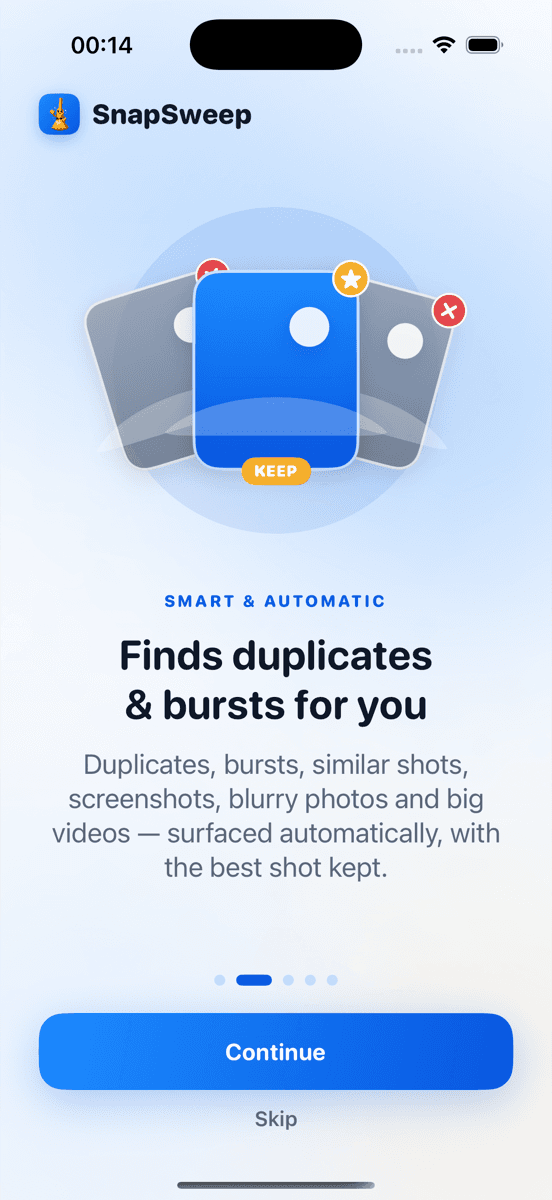
Photo by Roomier.
The iOS Duplicates album finds pixel-perfect matches but misses similar burst shots, near-duplicates, and related photo clutter that consume significant storage space. While Apple's built-in tool handles basic exact duplicates, third-party cleaners detect patterns the system overlooks.
How the iOS Duplicates Album Works
Apple's Duplicates album appears in Photos > Albums > Utilities when iOS detects identical files. The system compares file hashes and metadata to identify perfect matches — typically photos imported multiple times or synced across devices.
To use the built-in duplicate detection:
- Open Photos
- Tap Albums at the bottom
- Scroll to Utilities
- Select Duplicates
- Tap Merge for each group to keep the highest-quality version
The Duplicates album works well for straightforward cases. If you see exact matches of the same photo, Apple's merge function preserves the best quality version and removes the rest. No additional app needed.
What the Built-In Tool Misses
iOS duplicate detection operates on strict file matching. It cannot identify:
- Burst shot sequences: Five nearly identical photos from rapid-fire shooting
- Similar screenshots: Multiple captures of the same app or webpage with minor differences
- Near-duplicates: Photos of the same subject taken seconds apart with slight composition changes
- Edited versions: Original and filtered versions of the same photo
- Cross-format matches: HEIC originals and JPEG exports of identical images
A typical iPhone user accumulates hundreds of these similar-but-not-identical photos. Each burst sequence might contain 3-8 photos where only one is worth keeping. Multiple screenshots of the same content pile up from troubleshooting or sharing. These patterns consume storage but remain invisible to iOS's exact-match algorithm.
When Third-Party Apps Add Value
Photo cleaner apps use visual similarity algorithms instead of file matching. They analyze image content, composition, and timing to group related photos for review.
Quality cleaners like Roomier scan your library on-device and categorize findings:
- Exact duplicates (same as iOS finds)
- Similar photos (burst shots, near-duplicates)
- Blurry photos flagged for review
- Large videos that could be compressed
- Screenshot collections
The key difference: everything runs through a review screen before deletion. You swipe through each group and choose what to keep. Nothing disappears automatically.
Free alternatives include Clever Cleaner on iPhone, which offers basic similar photo detection without subscriptions.
Storage Impact: Numbers That Matter
Typical storage consumption patterns:
- Exact duplicates: 5-15% of photo library size for most users
- Similar photos and burst shots: 20-40% additional recoverable space
- Blurry or accidental photos: 10-20% more
- Oversized videos: Individual files can exceed 1GB each
A 64GB iPhone with 8GB of photos might recover 2-3GB through exact duplicate removal alone. Adding similar photo cleanup could free another 3-5GB. For users approaching storage limits, this difference matters.
Safety and Privacy Considerations
Both built-in and third-party approaches protect your photos differently:
iOS Duplicates album:
- Operates within Apple's sandboxed Photos framework
- Deleted items move to Recently Deleted for 30-day recovery
- No data leaves your device
- Cannot accidentally delete favorites or edited photos
Quality third-party cleaners:
- Process photos entirely on-device (verify this before downloading)
- Require manual review before any deletion
- Respect iOS's Recently Deleted safety net
- Protect favorites and edited photos from deletion algorithms
Avoid cleaners that auto-delete without review, require cloud uploads, or push weekly subscription models that compound beyond $200 annually.
Performance and Speed Comparison
The iOS Duplicates album appears instantly when duplicates exist. No scanning required — the system maintains this index continuously.
Third-party apps need initial scan time:
- 1,000 photos: 1-2 minutes
- 5,000 photos: 5-10 minutes
- 10,000+ photos: 15-30 minutes
After the initial scan, most apps cache results and update incrementally. The time investment pays off if you have significant similar photo accumulation.
Which Approach Works Best
Use iOS Duplicates album when:
- You primarily need exact duplicate removal
- Your photo library is well-curated
- You rarely shoot burst sequences
- Storage pressure is minimal
Consider a third-party cleaner when:
- You frequently use burst mode or screenshot multiple versions
- You want to identify blurry or accidental photos
- Storage space is consistently tight
- You prefer reviewing all deletion candidates before confirming
Many users benefit from both: run the iOS Duplicates merge first for obvious cases, then use a cleaner app to catch similar photos and other clutter the built-in tool misses.
Limitations of Photo Cleanup
Photo cleanup addresses library organization but cannot recover space from:
- App data and caches
- System files and iOS updates
- Downloaded music, podcasts, or offline content
- iMessage attachments and conversation history
Check Settings > General > iPhone Storage for a complete breakdown. Photo cleanup typically recovers 10-30% of total device storage, depending on your shooting habits.
Additionally, all cleanup methods involve some trade-offs. Automated similar photo detection occasionally groups photos that should be kept separate. Burst shot algorithms cannot always identify the sharpest frame. Manual review remains the safest approach for valuable photos.
Both iOS's built-in duplicate detection and third-party cleaners serve specific use cases. Understanding their capabilities helps you choose the right tool for your photo management needs.
Frequently asked questions
- Does the iOS Duplicates album find all duplicate photos?
- No, it only finds exact file matches with identical pixels and metadata. It misses similar burst shots, near-duplicates, and photos of the same subject taken seconds apart.
- Are third-party photo cleaner apps safe to use?
- Quality apps that process photos on-device and require manual review are safe. Avoid apps that auto-delete, upload photos to servers, or use deceptive weekly subscription pricing.
- How much storage can duplicate photo cleanup actually free up?
- Exact duplicates typically account for 5-15% of library size, while similar photos and burst shots can add another 20-40% recoverable space for active photographers.
- Can I use both iOS Duplicates and a cleaner app together?
- Yes, this works well. Use iOS Duplicates first for obvious exact matches, then run a cleaner app to catch similar photos and other clutter the built-in tool misses.
- Do deleted photos from cleaner apps go to Recently Deleted?
- Yes, when apps use iOS's standard deletion process, photos move to Recently Deleted for 30-day recovery. This applies to both built-in and third-party deletion methods.
- Why doesn't iOS detect similar photos automatically?
- Apple's approach prioritizes precision over recall, focusing on exact matches to avoid accidentally flagging photos users want to keep. Similar photo detection requires subjective judgment calls.